AUD sale → Scan + Tap on one screen → verified payment → receipt and stock.
Staff create the sale in AUD and show Scan + Tap side by side: the customer scans the QR to pay on their own phone, or taps a card or wallet on a compatible staff NFC device where approved. Digital providers require onboarding; cash is received and recorded by staff, separately from the QR.
Staff add products or a custom AUD amount. The sale, payment and stock all share one record.
02Scan + Tap on one screen
☕ Fresh CafeAIR Checkout · Preview
TOTAL TO PAYA$12.50
SCAN + TAP
Scan QRCustomer phone
Tap cardEligible staff NFC device
One sale · Enabled methods only
Display QR and contactless together. Scan on the customer phone, or tap a card on an eligible staff NFC device.
03Confirm the payment
Track provider-confirmed payments against the bill—not merely an attempted or pending payment.
04Send the receipt
☕ Fresh CafeAIR Checkout · Example
PAID · DEMO RECEIPT
✓
2 × LatteA$10.00
1 × MuffinA$4.50
Paid in fullA$14.50
Share receipt
Keep an itemised receipt and share the record with the customer.
05Ready for the next
☕ Fresh CafeAIR Checkout · Example
SALE COMPLETED
✓
Ready for the next customer
Previous bill and receipt saved in the business record.
New saleA$0.00
Start next sale
For split bills, show what remains; otherwise create the next sale without losing the previous record.
One screen, two ways to pay. The QR opens an enabled digital checkout on the customer's own phone. Contactless card or wallet tap uses NFC on an eligible staff device and an approved provider. They are shown together, but a QR code does not itself read cards. Cash is taken and recorded by staff.
Designed for the café counter and the workshop floor.
Take part payments, manage itemised service jobs, customise the customer screen and keep your business in view.
☕ Fresh CafeAIR Checkout · Preview
TOTAL TO PAYA$12.50
SCAN + TAP
Scan QRCustomer phone
Tap cardEligible staff NFC device
One sale · Enabled methods only
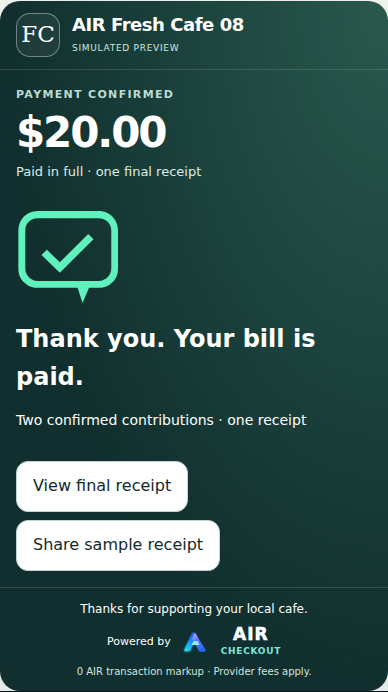
Split the café bill
Keep confirmed contributions, outstanding amounts and receipts together on the same sale.
Scan + Tap preview · split-payment rollout example
⚙ NORTHSIDE AUTOJOB M-1042 · DEMO
Brake service
Labour · 2 hoursA$180.00
Brake pads · 1 setA$220.00
Oil filter · 1A$25.00
Shop suppliesA$15.00
Job totalA$440.00
Example deposit · A$220Balance · A$220
▦ Scan QR • Tap card*
Service jobs & workshop invoices
Itemise labour and parts, show deposits and remaining balances, and make collection straightforward.
Next: add your logo, upload a background, change fonts and preview the staff POS, receipt and owner view. No payment needed.
Design a checkout that looks like your business
Try your name and colours above, then customise your logo, background, font and customer message in the full editor. Open the free designer →
Private style preview · merchant activation subject to rollout
AIR Checkout Owner view · example
SalesA$412.50
Payments18
ProductsStockStaffReports
See the whole business
Connect sales with products, stock, staff permissions, receipts and daily reporting.
Illustrative owner view · demo figures
YOUR BRAND · ONE CHECKOUT EXPERIENCE
Make AIR Checkout yours.
Upload your own logo and background image, choose your colours and font, and make the customer message feel like your business. The AIR Scan + Tap layout remains recognisable across every style.
01 Your logo02 Background image03 Brand colours04 Font05 Customer message
TRY YOUR BRAND · NO ACCOUNT REQUIRED
Design your AIR Checkout screen.
Try any colour, drag in your own images, choose a font and customise your message. The Scan + Tap interface updates as you edit.
Private preview · No upload
Edits are saved in this browser. Undo/Redo works for this editing session.
Brand colours · any shade
Business logo
Drop an image herePNG, JPG or WebP · 5 MB max
Background image
Drop an image hereDrop your own image here
LIVE APPEARANCE PREVIEW
☕
Fresh CafeGood coffee. Great people.
TOTAL TO PAYA$24.00
SCAN OR TAP TO PAY
DEMO
Scan QRCustomer phone
Tap cardApproved staff NFC*
Powered by AIR Checkout · Demo
Illustrative screens, not live payments or connected merchant records. Scan and Tap remain separate provider/device routes; colours on additional interfaces are a design preview until supported by the POS appearance schema.
Styles are stored in your browser, not sent to AIR. Export the style file to move devices. Choosing a plan currently submits an availability request, not a live subscription checkout. Your saved style can only become a merchant skin after authorised owner sign-in and rollout of the private appearance-saving feature; payment or account creation does not yet import it automatically.
FROM YOUR DESIGN TO YOUR NEW BUSINESS CHECKOUT
Make AIR Checkout yours
Choose a plan and request setup now, with your own design or AIR's default style. We'll confirm availability and provide secure subscription payment only when your new merchant account can actually be activated.
No design needed to get started
We'll start with AIR's default style. You can customise it during onboarding.
Warm café imagery, a familiar brand and an easy checkout at the counter.
CUSTOM STYLE · ILLUSTRATIVE
🍔
The Burger BarBold burgers. Fast service.
AMOUNT TO PAYA$24.00
SCAN OR TAP TO PAY
DEMO
Scan QRCustomer phone
Tap cardStaff NFC*
Enabled methods onlyPowered by AIR Checkout
The Burger BarRestaurant & takeaway
Punchy restaurant colours and bold food-themed background artwork.
CUSTOM STYLE · ILLUSTRATIVE
✿
Bloom FloristFlowers make everything brighter.
AMOUNT TO PAYA$55.00
SCAN OR TAP TO PAY
DEMO
Scan QRCustomer phone
Tap cardStaff NFC*
Enabled methods onlyPowered by AIR Checkout
Bloom FloristFlorist & retail
Soft floral imagery and a colour palette that feels like the shop.
CUSTOM STYLE · ILLUSTRATIVE
▲
Alpine LodgeEnjoy the adventure.
AMOUNT TO PAYA$36.00
SCAN OR TAP TO PAY
DEMO
Scan QRCustomer phone
Tap cardStaff NFC*
Enabled methods onlyPowered by AIR Checkout
Alpine LodgeAccommodation & tourism
An uploaded destination image can give every payment a sense of place.
CUSTOM STYLE · ILLUSTRATIVE
🚲
Urban BikesRide local. Ride more.
AMOUNT TO PAYA$19.00
SCAN OR TAP TO PAY
DEMO
Scan QRCustomer phone
Tap cardStaff NFC*
Enabled methods onlyPowered by AIR Checkout
Urban BikesSpecialty retail
A bolder retail look, without changing the underlying checkout.
CUSTOM STYLE · ILLUSTRATIVE
⚙
Northside AutoService made simple.
AMOUNT TO PAYA$220.00
SCAN OR TAP TO PAY
DEMO
Scan QRCustomer phone
Tap cardStaff NFC*
Enabled methods onlyPowered by AIR Checkout
Northside AutoMechanics & services
A workshop-branded payment screen for deposits or final collection.
CUSTOM STYLE · ILLUSTRATIVE
Different styles. Same AIR Scan + Tap.
Every screen keeps the amount, QR and contactless symbol easy to find. The branding changes; the checkout flow stays familiar.
Illustrative themes and non-functional demo QRs. Merchant appearance settings are being qualified in the protected POS rollout, not offered as live self-service on this public page. Tap to Pay requires an eligible NFC staff device and approved card provider; scanning the QR is a separate payment route.
Sales + inventory, together
See what sold. See what's left.
The checkout and tracked inventory use the same recorded sale. These example quantities illustrate stock changes only after a confirmed or correctly recorded sale—not when a customer simply opens the payment screen.
☕
Fresh CafeCounter sale · Demo FC-0102
EXAMPLE
Blueberry muffin × 1A$6.00
Bottled water × 1A$3.50
Tracked stock after a confirmed saleBefore → After
Blueberry muffins
18→17−1
Bottled water
24→23−1
Only configured stocked products are deducted. Ingredients require their own inventory rules.
⚙
Northside AutoWorkshop job · Demo M-1042
EXAMPLE
Brake pad set × 1A$220
Oil filter × 1A$25
Labour · service, not stockA$180
Tracked stock after a confirmed saleBefore → After
Brake pad sets
6→5−1
Oil filters
14→13−1
Example low-stock alert · Brake pads at 5 sets · Consider reordering
Labour remains a service line. Only configured parts are deducted.
Illustrative screens and fictional demo data, not actual customer transactions. Stock changes depend on a correctly configured catalogue and a completed sale. The side-by-side Scan + Tap display illustrates the intended checkout experience; Tap to Pay on an NFC staff device, provider-supported payment routes, split bills and selected business workflows require merchant onboarding, device eligibility and rollout qualification. No displayed demo QR accepts payment.
Scan + Tap. Bank · Card · Crypto · Cash. One AIR Checkout.Staff create the sale. The QR and eligible NFC Tap to Pay appear on the same screen; cash is recorded by staff. Each payment method follows its own approved route.
01 · A POS built around people
Multiple workers. Multiple checkouts. One clean business record.
Stop making staff queue behind one terminal. Authorised workers can operate their own phone-based checkout workflow while AIR keeps each sale and payment record separate.
WORKER 01CounterSale #1048 · QR readyWORKER 02FloorSale #1049 · building cartWORKER 03PickupSale #1050 · payment verifiedWORKER 04MobileSale #1051 · QR ready
Every worker can sell.
The checkout goes where your workers go instead of forcing every customer back to one counter.
Every sale stays separate.
Each checkout keeps its own sale, QR, payment status and evidence instead of blurring activity together.
Itemised sales.
Build the sale from saved products, quantities and catalogue prices — not just a mystery total at the end of the day.
Sick of slow closes?
Verified sales feed the merchant ledger so the close starts with organised records instead of terminal archaeology.
02 · Business rollout capability
Sick of struggling to split the bill?
We want the customer to decide how they pay their share — without turning the worker into a calculator.
EqualFour people? Split it four ways.
By amount“I’ll pay A$60.”
By percentage50% · 30% · 20%
By itemsChoose exactly what you’re paying for.
Split bills, multiple payers and optional tipping are being added to Business before general release. Each payer will receive an explicit share so AIR can verify each payment cleanly.
Upload your existing catalogue with product names, SKUs, barcodes and prices. On an authorised staff phone, point the rear camera at a saved barcode and AIR adds one item to the current cart. Scan it again and the quantity increases.
Camera scanning depends on browser/device barcode support. AIR falls back to catalogue search or typed barcode when camera scanning is unavailable.
STAFF PHONEBARCODE SCANNER
9300675001234
FOUND
Sparkling Water 600mLSKU WATER600 · A$4.50
+1
Current sale3 items · A$18.90
Scan again to increase quantity.
04 · Your money
Get paid to the destination approved for the route.
AIR Checkout coordinates the sale and keeps the payment record. It is not where your customer’s purchase money is supposed to sit. Depending on the activated route, settlement can be to a normal Australian bank account or a supported merchant wallet.
0% AIR transaction feeNo raw card data stored by AIRNo pooled merchant funds
AIR adds 0% to the transaction amount.
AIR subscription pricing is separate. Bank, card, wallet, blockchain, conversion and payment-provider costs can apply independently and are confirmed for the route used.
01Customerchooses and authorises
→
02Payment routemoves or converts funds
→
03Merchantreceives at the approved destination
AIR coordinates and records the transaction. AIR does not pool merchant sale proceeds.
05 · Ways to pay
Bank, card, crypto or cash. One AIR Checkout.
Sales stay in AUD. Eligible bank, card and crypto routes appear only after merchant/provider onboarding; cash is collected and recorded by staff rather than paid through a QR.
Provider onboardingAUD · BANK + CARD
Normal money.
AIR is being prepared to support ordinary Australian bank-payment and card routes through approved payment providers, so customers do not need crypto to use the checkout.
Sale stays in AUD
Bank/card route enabled only after provider onboarding
Merchant AUD settlement follows the approved provider setup
Private rolloutUSDC · Solana
Direct USDC.
Customer wallet to the merchant’s verified receiving wallet on Solana Mainnet. AIR never signs the payer transaction or holds the customer’s keys.
Real USDC on Solana Mainnet for approved merchants
Merchant-controlled receiving wallet
QR checkout + payment verification
Scope onboardingCRYPTO → AUD
Crypto in. AUD to the bank.
For approved merchants, AIR is preparing a route where the customer pays supported crypto and an approved payment provider handles conversion and merchant AUD payout. AIR itself does not exchange the asset or hold the funds.
Sale remains AUD-priced
Supported crypto chosen through provider checkout
AUD bank payout requirements, assets, fees and availability confirmed during onboarding
Cash belongs in the POS, too.
Staff receive physical cash and record the sale in AIR. The QR is only for eligible digital routes; cash permissions and reconciliation follow the business’s rollout setup.
Store is the A$79 multi-location tier being finalised for rollout. It is not yet available through general subscription checkout.
AIR subscription pricing is separate from bank, card, wallet, network, conversion or other payment-provider fees. Route availability is confirmed per merchant during scope and provider onboarding.
07 · Scope AIR Checkout for your business
Tell us how you want customers to pay.
Tell us what you sell, how many workers or locations you have, whether you want bank, card, crypto, cash or a mix, and where you want approved digital routes to settle. We’ll scope the setup around the business rather than forcing you into a generic payment flow.
Useful first. Complicated only where it needs to be.
Can we use our own logo, background and colours?
AIR's protected POS rollout includes owner-configured logo, uploaded background image, accent colour, font and customer message settings. The public styles are illustrative, and available setup is confirmed during merchant onboarding.
Can we accept cash as well as bank, card and crypto?
Yes. Staff can receive physical cash and record it against the sale. No QR is required for cash. Bank, card and supported crypto options depend on provider onboarding and route eligibility.
Can customers tap their card on a staff phone?
Tap to Pay requires a compatible staff phone, a certified payment-provider integration and merchant approval. A QR image alone cannot read a contactless bank card. Any Tap to Pay rollout is qualified separately from QR payments.
Do customers need crypto to use AIR Checkout?
No. AIR Checkout is being designed for ordinary bank and card routes as well as supported crypto. The customer only sees payment methods that have been approved and activated for that merchant. Bank/card routes are not represented as generally live until the required provider integration and onboarding are complete.
Can the merchant use a normal Australian bank account?
Yes for routes that settle in AUD through an approved payment provider. The exact settlement account, payout timing and provider requirements are confirmed during merchant onboarding. Direct-USDC merchants can instead receive to a verified supported wallet.
Can customers pay crypto against an AUD-priced sale?
AIR Checkout is built around AUD-priced sales. Direct USDC is in private rollout for approved merchants. Crypto-to-AUD provider settlement is scoped per merchant and only enabled after the required provider and account approval.
Does AIR convert crypto to AUD?
No. AIR does not exchange assets itself. On a crypto-to-AUD route, an approved payment provider handles the crypto payment, conversion and AUD payout; AIR coordinates the checkout and records the resulting payment evidence.
Does AIR hold the customer’s payment?
No. AIR is designed so merchant sale proceeds move through the supported network or provider to the merchant’s verified destination. AIR records the transaction; it does not pool merchant sale proceeds.
Can several workers be active at once?
AIR’s staff-terminal model is designed so authorised workers can operate bounded checkout workflows while sales and payment records remain separated in the merchant ledger.
What about split bills and multiple payers?
Equal, custom-amount, percentage and item-based split flows, multiple payers and optional tips are being added to Business before general release. They are not represented here as already-live capabilities.
Keep sales in AUD, offer enabled bank, card and supported crypto payment routes, or record cash received by staff. AIR keeps the resulting payment record tied to the sale. Tell us how your business works and we’ll scope the options around it.
 by Am I Recommended?